
Download KoolPlaya – Portable Multimedia Player, Free Media Tool, Lightweight Video & Audio Player
Overview
KoolPlaya is a compact, free multimedia player designed for users seeking a straightforward and efficient way to play audio and video files across a wide range of formats. Its primary purpose is to deliver reliable playback without the need for installation, making it ideal for environments where software setup is restricted or inconvenient. The app solves common playback challenges such as format incompatibility and dependency on external codecs by supporting formats like AVI, MPEG, WMV, MP3, DIVX, and XVID out of the box. This eliminates the need for additional software or configuration, streamlining the user experience.
Target users include travelers, students, professionals, and casual media consumers who frequently switch between devices or rely on portable storage like USB drives. The minimalistic design and low system footprint ensure that KoolPlaya runs smoothly even on older or less powerful hardware. Although the developer did not provide additional background details, the app's longevity—first released in 2012—suggests a stable and well-tested foundation. Real-world use cases include watching videos on the go, playing music during study sessions, or sharing media across different computers without installation. In the broader app ecosystem, KoolPlaya stands out as a niche but valuable utility tool for those who prioritize portability, simplicity, and broad format support.
Key Features & Functionality
- Portable and Lightweight: KoolPlaya requires no installation, allowing it to run directly from a USB drive or memory card. This makes it highly portable and ideal for use on public or shared computers.
- Wide Format Support: The player supports AVI, MPEG, WMV, MP3, DIVX, and XVID formats, ensuring compatibility with most common media files without requiring additional codecs.
- Essential Media Functions: Includes playback controls such as pause, stop, play, fullscreen mode, adjustable playback speed, zoom, and playlist management for seamless media consumption.
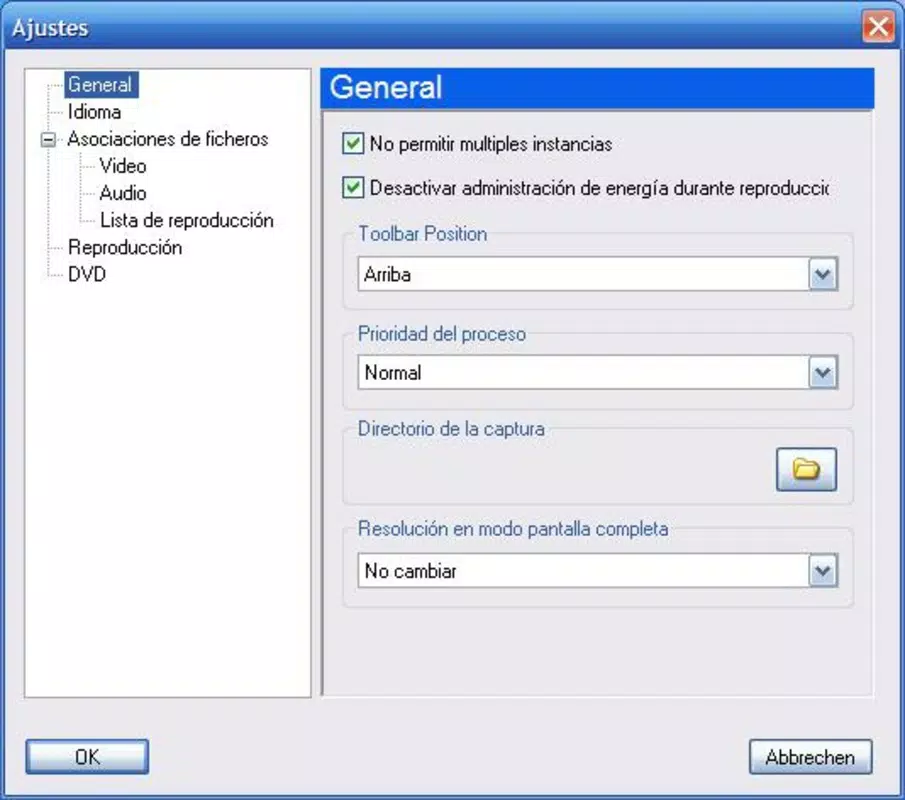
- Interface Customization: Users can tailor the interface layout and behavior, including setting the player to always appear in the foreground, enhancing accessibility and workflow efficiency.
- Image Capture Tool: Allows users to take snapshots from videos and save them as image files, useful for capturing memorable scenes or creating visual references.
These features cater to practical needs such as quick video playback during travel, music listening without setup, and preserving visual moments from videos. The ability to loop tracks or videos adds flexibility for repetitive viewing or background audio use. The lack of installation also reduces the risk of system conflicts, making KoolPlaya a safe choice for temporary use on shared devices.
Interface, UX & Performance
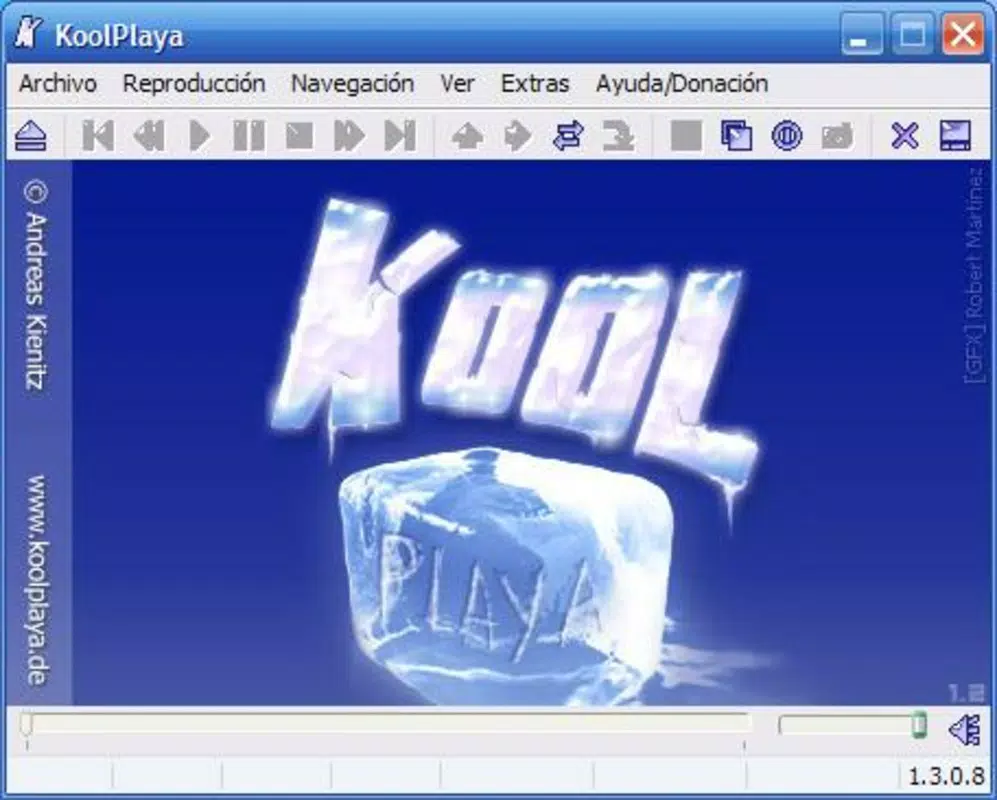
KoolPlaya features a minimalistic interface focused on core playback functions, prioritizing usability over visual complexity. The layout is straightforward, with essential controls clearly positioned for easy access. Navigation is intuitive, relying on direct interaction with playback elements rather than layered menus. Although the developer did not list formal performance metrics, the app’s lightweight nature suggests low memory consumption and fast load times, which benefits users on older or resource-constrained devices.
Responsiveness is expected to be strong given the app’s minimal footprint and direct execution model. Stability is likely maintained through years of consistent use, supported by its long-standing presence in the software landscape. The app’s ability to run without installation implies a high degree of compatibility across different system configurations. While specific device category performance details were not disclosed, the general design suggests consistent behavior across various screen sizes and input methods. The interface customization option further enhances user experience by allowing personalization based on individual preferences.
Platform Compatibility & Technical Requirements
KoolPlaya is designed for Windows-based systems, though the exact operating system version was not specified. The app’s file size is relatively small, contributing to its portability and quick deployment. It does not require installation, meaning it can be executed directly from removable storage devices. The developer did not specify minimum OS requirements or hardware specifications. As such, compatibility with modern Windows environments cannot be confirmed with certainty, but its long-standing release history suggests it may still function on current systems with appropriate compatibility settings.
Users should be aware that running older applications on newer operating systems may require compatibility mode or elevated privileges. The app’s lack of installation also means it leaves no trace on the host system, which is beneficial for privacy and security in shared environments. Specific requirements for processor, RAM, or display resolution were not listed.
Pros and Cons
Pros
- Runs without installation, ideal for portable use on USB drives.
- Supports a wide range of video and audio formats without additional codecs.
- Minimal system resource usage ensures smooth performance on older hardware.
- Includes useful tools like image capture and playback customization.
- Simple, intuitive interface designed for quick access and ease of use.
Cons
- No official updates or developer support information available.
- Compatibility with modern Windows versions may require manual configuration.
- Limited feature set compared to modern media players.
- Interface customization options may not be fully documented.
- File size and version details were not provided in the input.
FAQ
Is KoolPlaya safe to download and use?
Yes, KoolPlaya is a lightweight, portable application that does not require installation. It runs directly from removable storage and leaves no traces on the host system, reducing security risks. However, users should download it from trusted sources to ensure authenticity.
Can I use KoolPlaya on Windows 10 or Windows 11?
While the developer did not specify compatibility details, KoolPlaya was released in 2012 and may run on modern Windows versions with compatibility mode enabled. Users may need to adjust settings or run the app as administrator for optimal performance.
Does KoolPlaya support subtitles?
Specific information about subtitle support was not provided. Based on its feature list, it may not include advanced subtitle functionality, but users should test with their files to confirm.
Is KoolPlaya free to use?
Yes, KoolPlaya is available as a free tool. No licensing fees or in-app purchases are required for full functionality.
How do I install KoolPlaya?
KoolPlaya does not require installation. Simply copy the executable file to a USB drive or local folder and run it directly. It operates as a standalone application.
Final Thoughts
KoolPlaya remains a reliable, no-frills multimedia player for users who value portability, simplicity, and broad format compatibility. Despite its age, its lightweight design and zero-installation model continue to offer practical benefits for those needing a quick, secure way to play media files on any device. While it lacks modern features and updated support, its core functionality remains effective for basic playback tasks.
The app is particularly well-suited for students, travelers, and professionals who frequently work across different computers or rely on USB drives for file transfer. Its ability to play diverse formats without extra codecs makes it a valuable utility in the digital toolkit. For users seeking a dependable, free, and secure media player that doesn’t clutter their system, KoolPlaya delivers consistent value.
Download KoolPlaya now.


